


Welcome to the registration and onboarding tutorial for Rescue Centre.
Go to rescuecentre.org.uk
1. Introduction
Here you will learn how to create your Rescue Centre profile and access your dashboard for managing your rrescue activities.
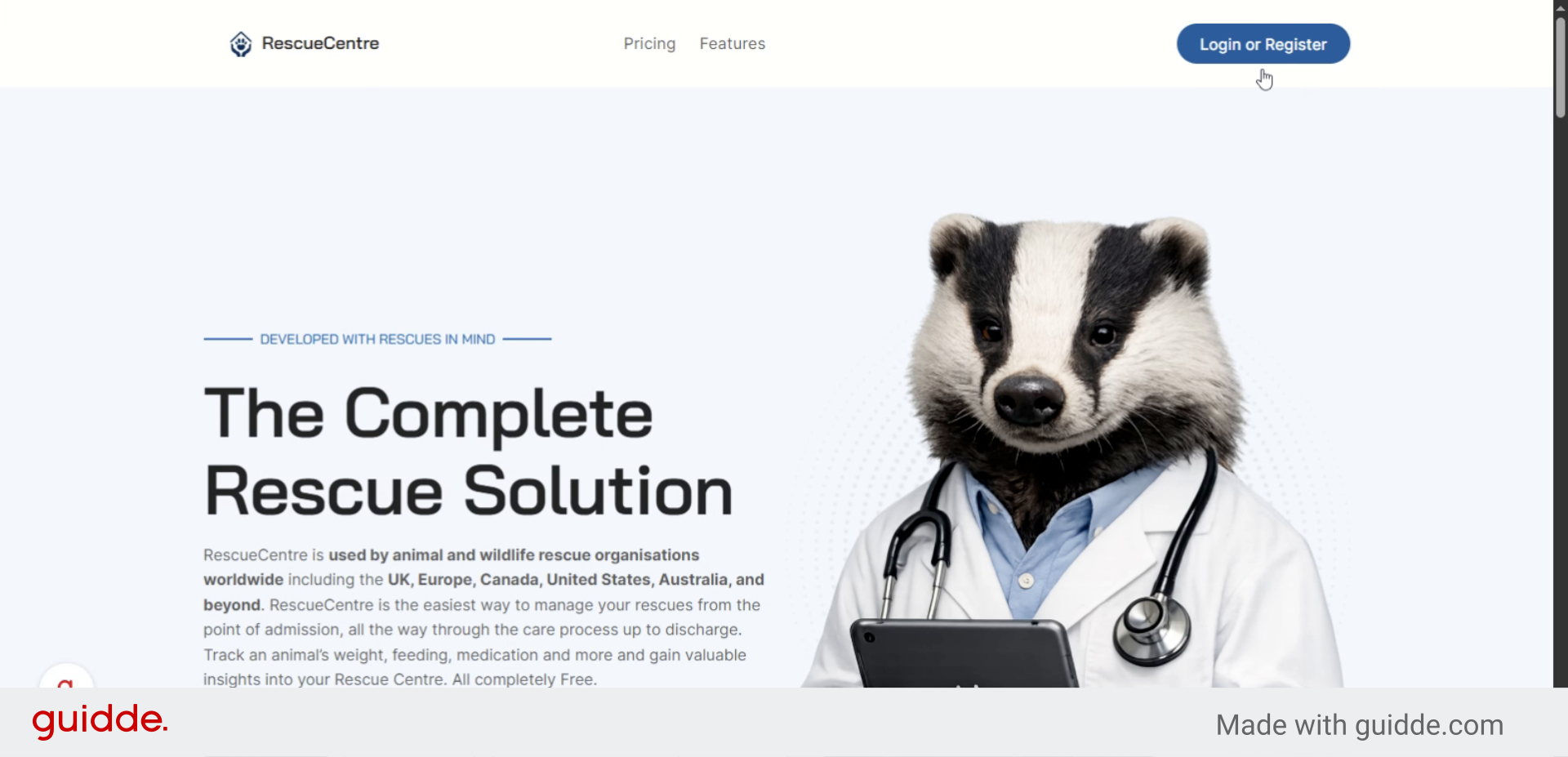
2. Access Login or Registration
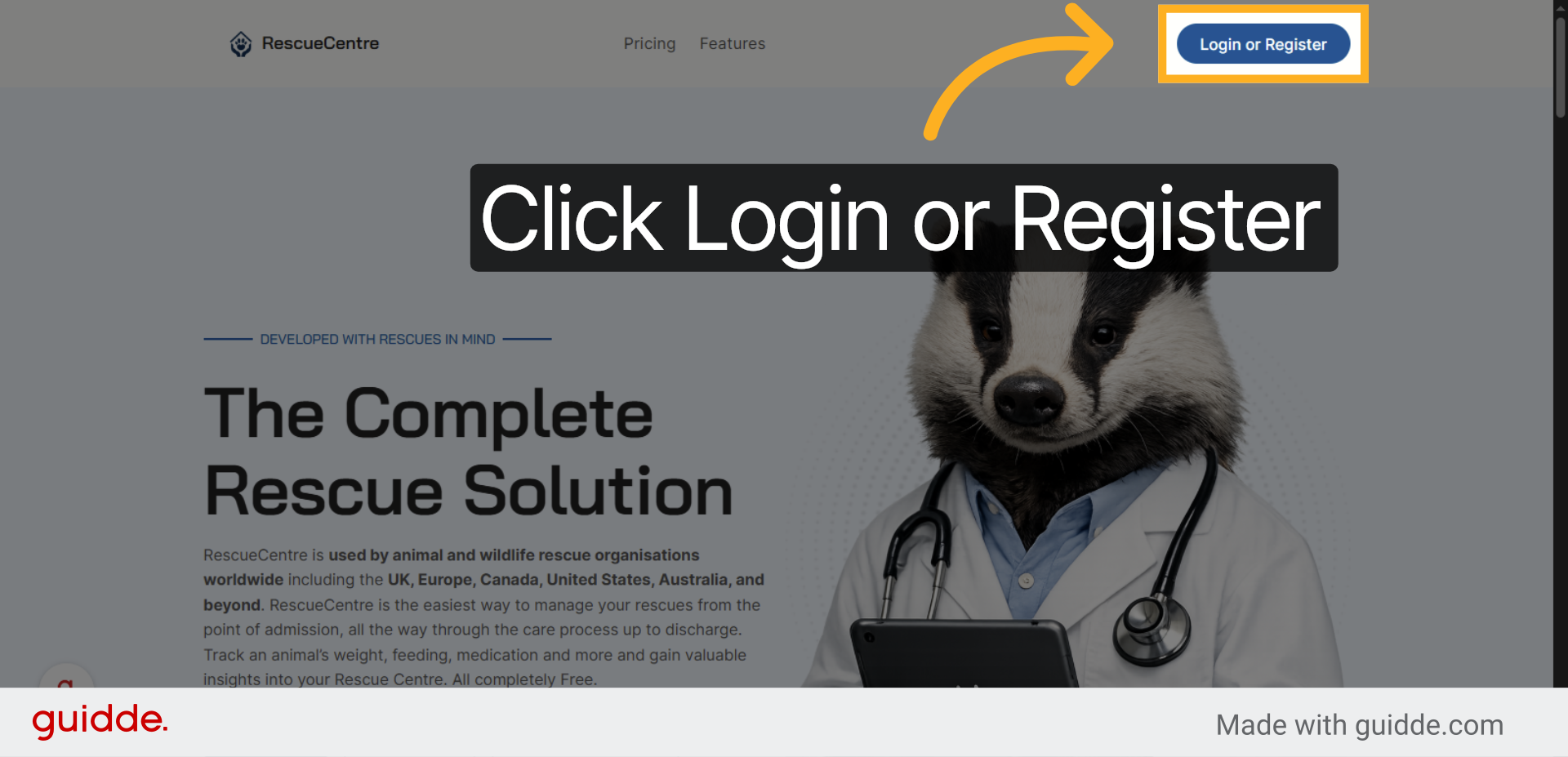
Click “Login or Register” to begin accessing your Rescue Centre account.
3. Open Registration Page
Click “Register” to be directed to the Registration page and complete the short form.
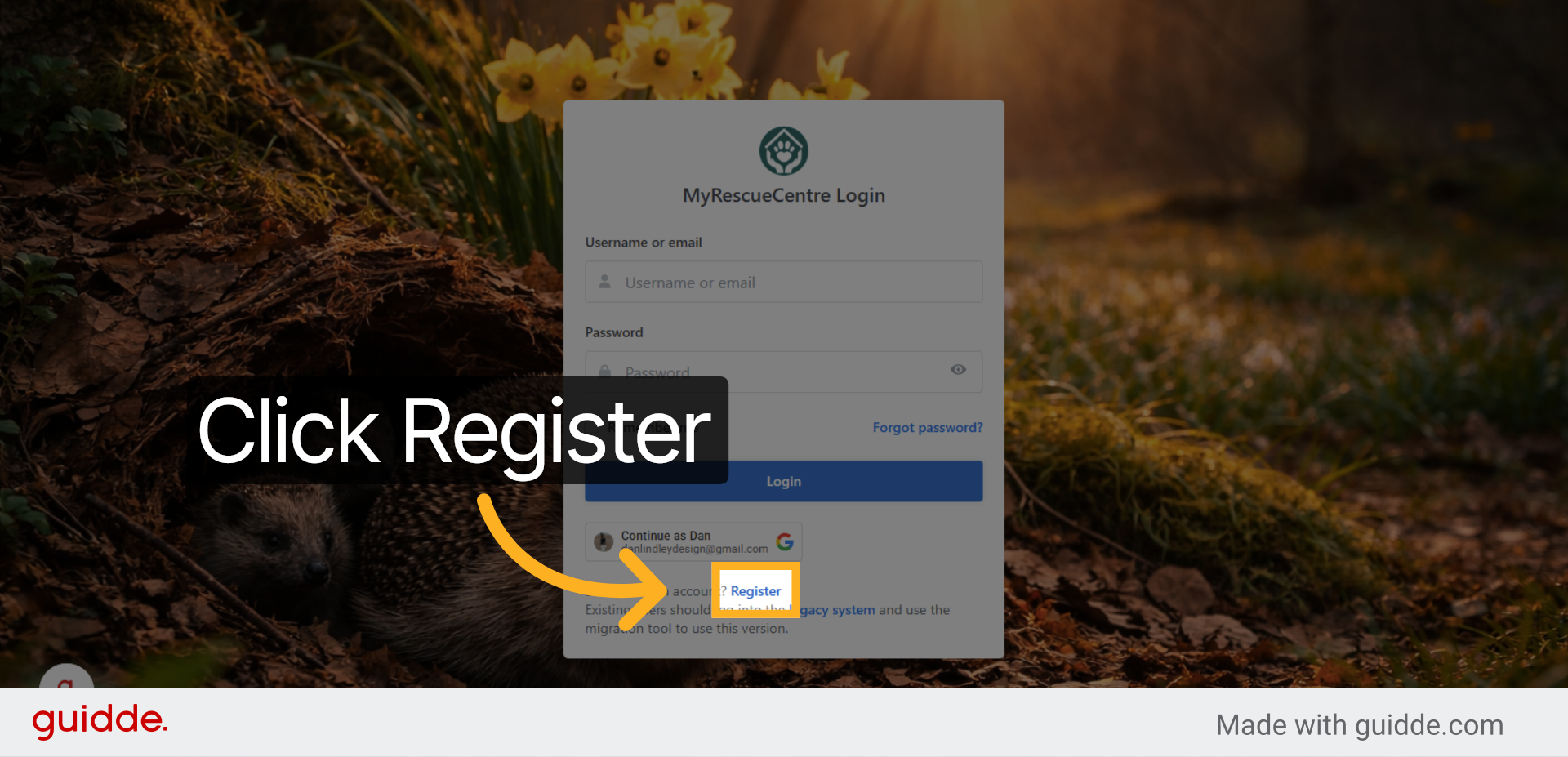
4. Switch to Registration Site
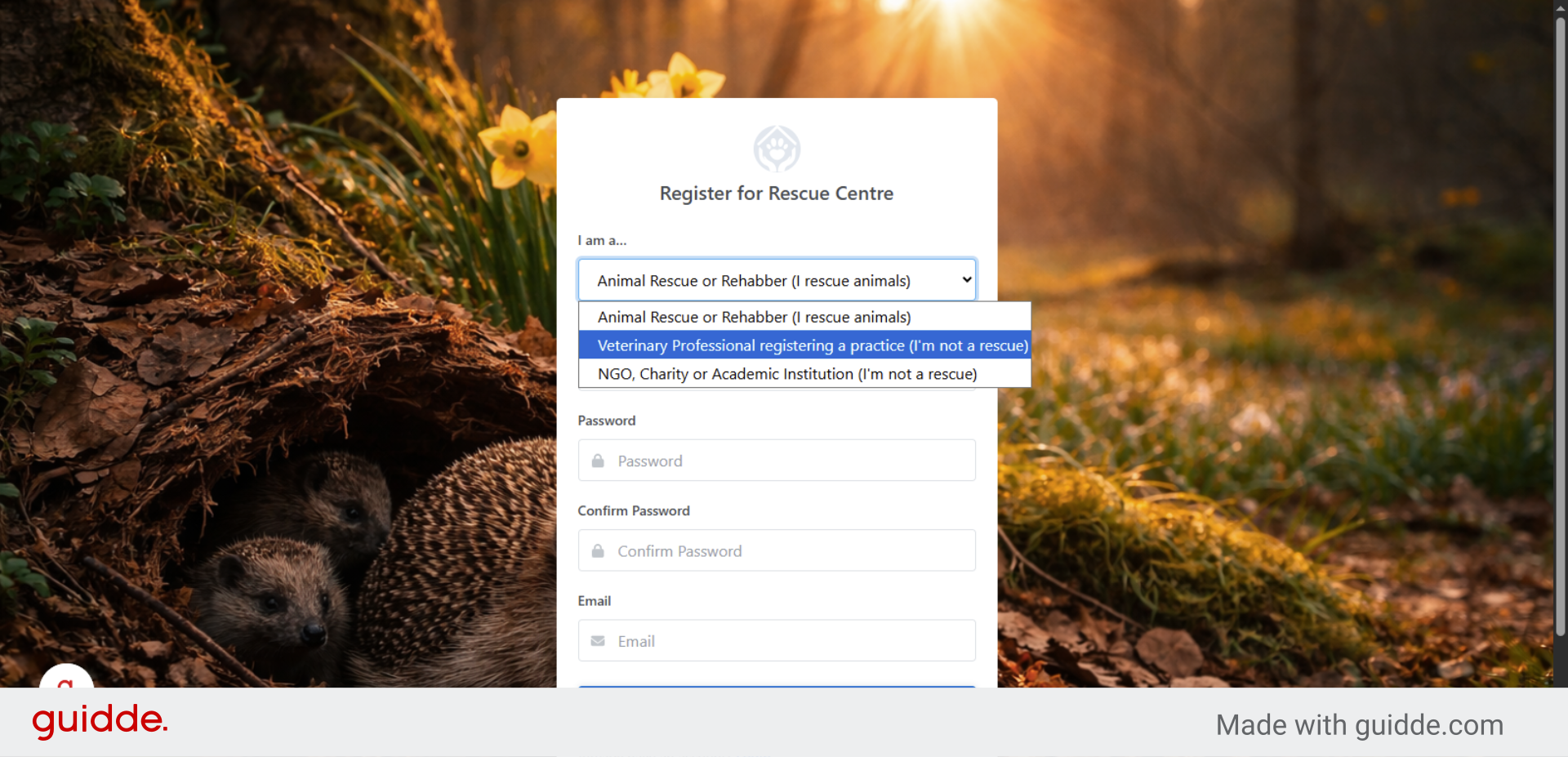
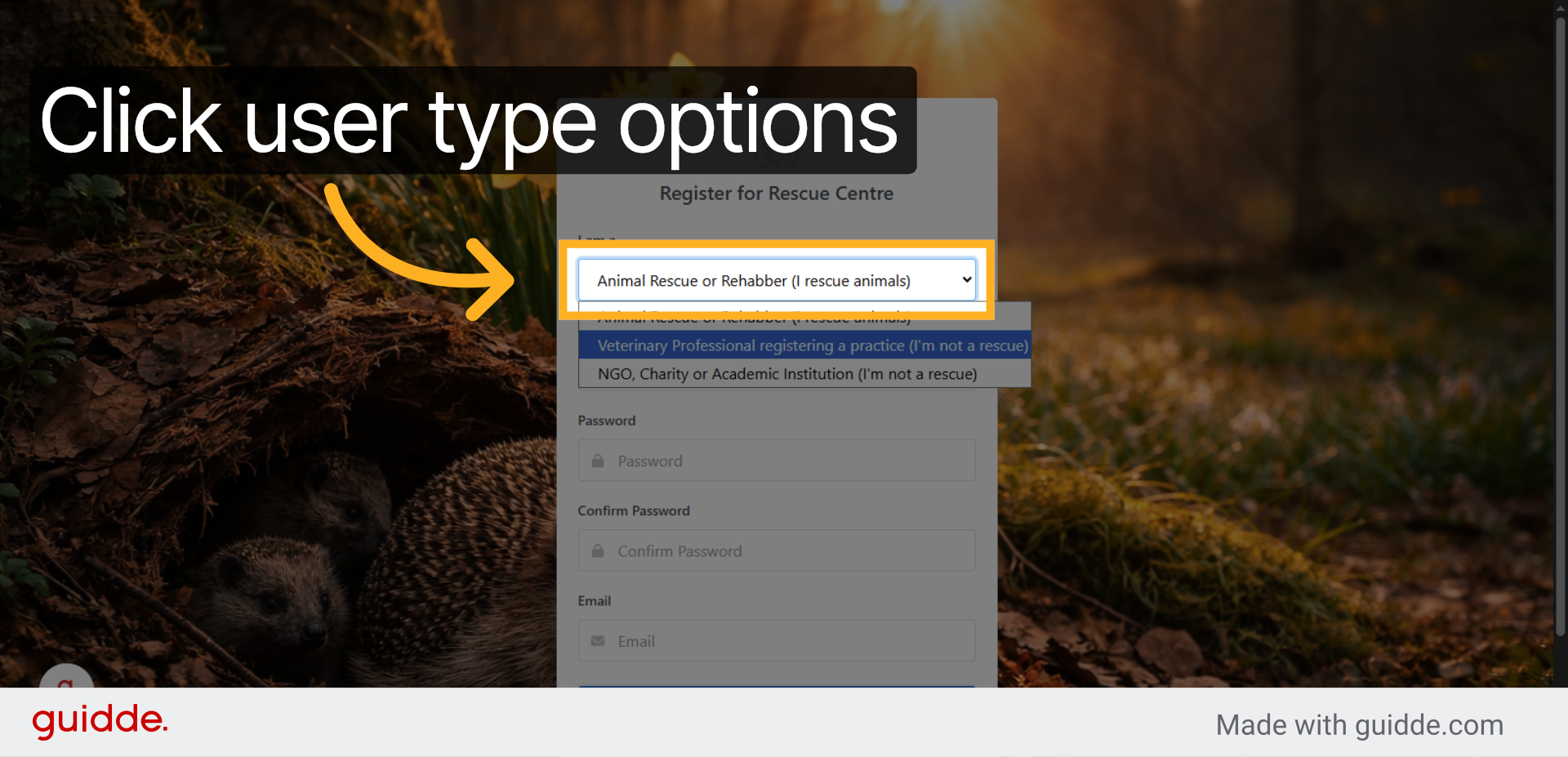
5. Choose User Type Options
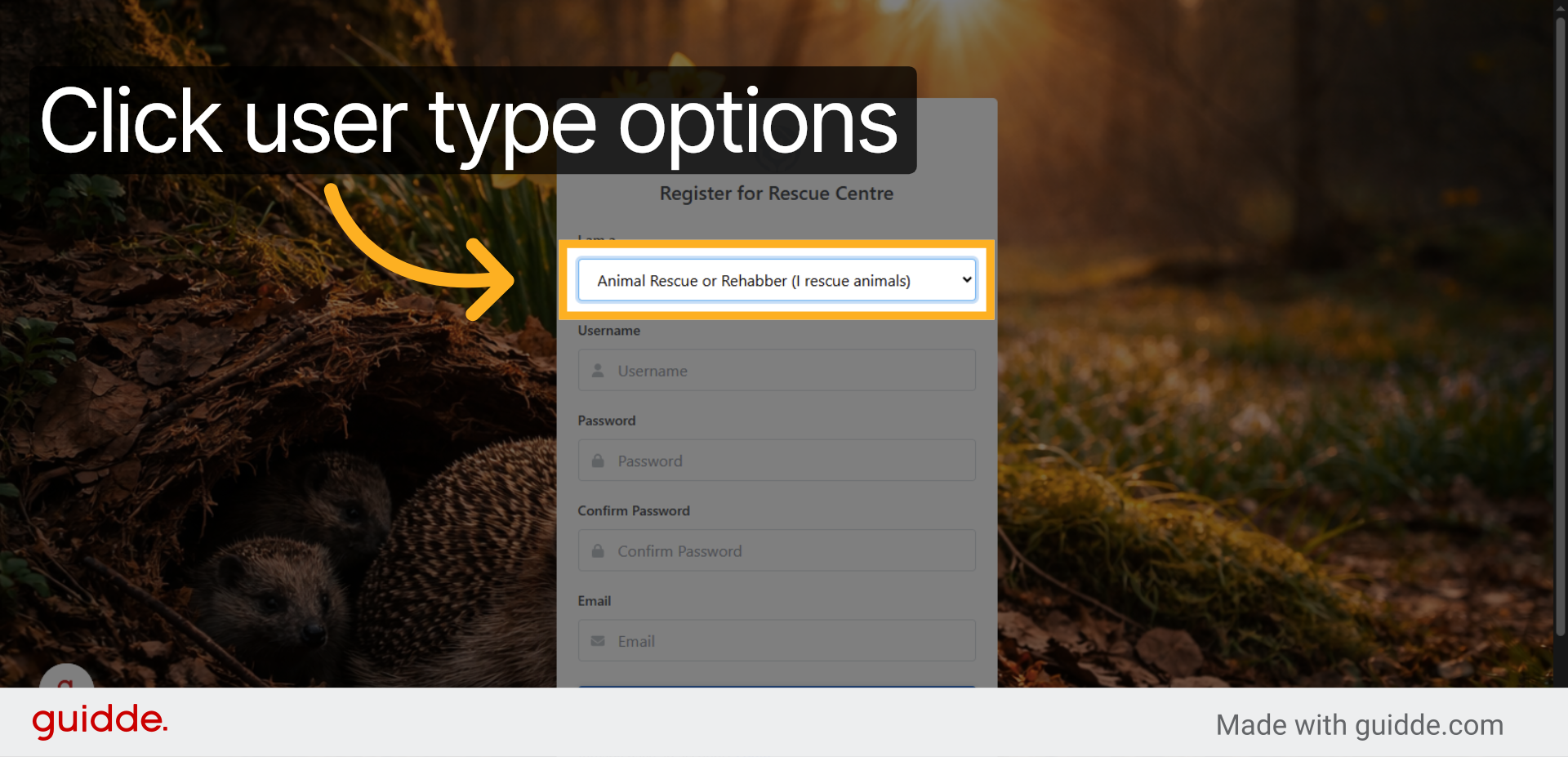
Click the option for “Animal Rescue or Rehabber (I rescue animals) from the drop-down box if you are registering an animal rescue. Only select NGO or Vet if you are registering as one of these.
6. Confirm Rescue User Type
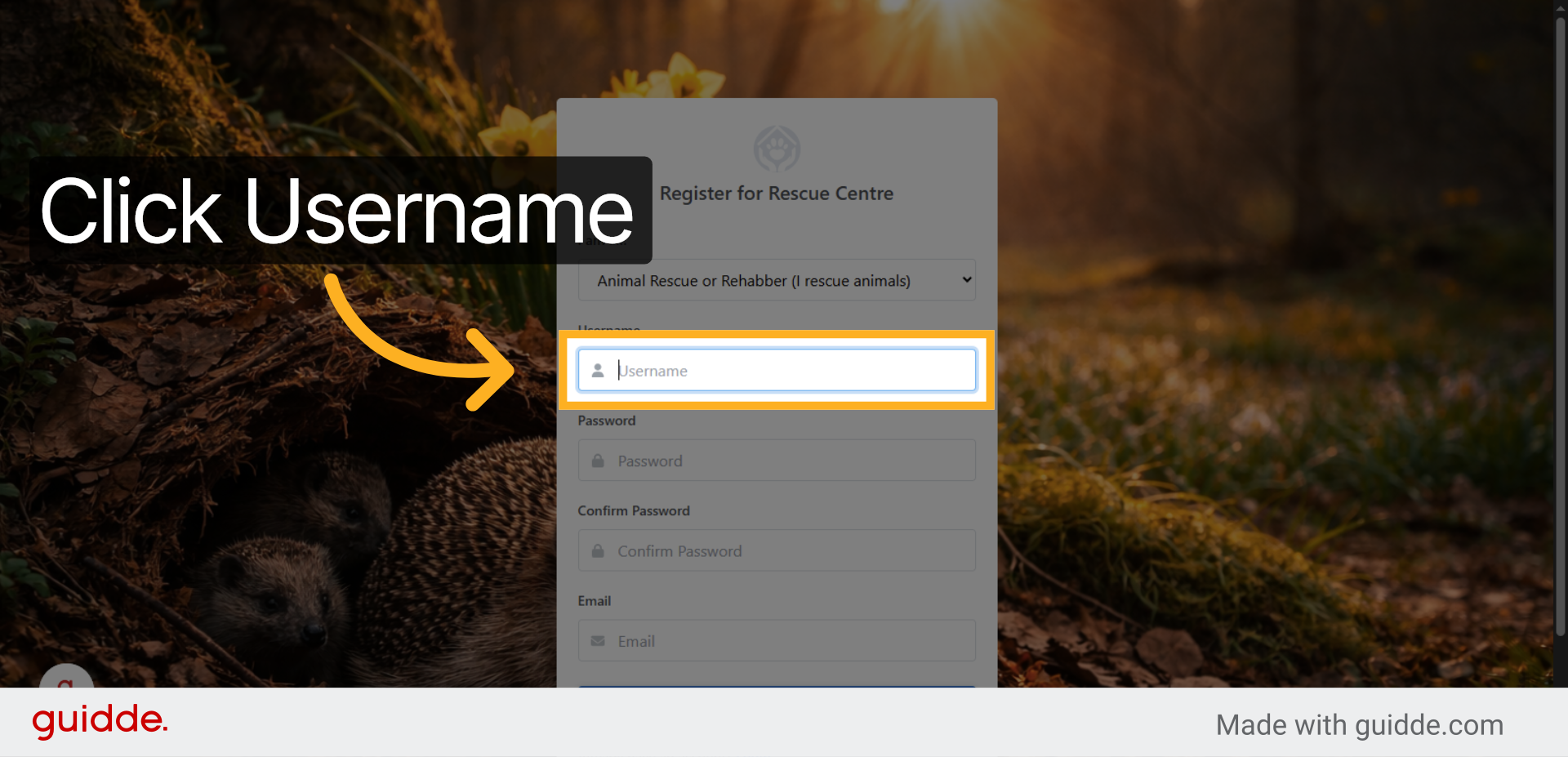
7. Select Username Field
Type in a user name to register your account. This is your account user name that you will use to log in to Rescue Centre each time.
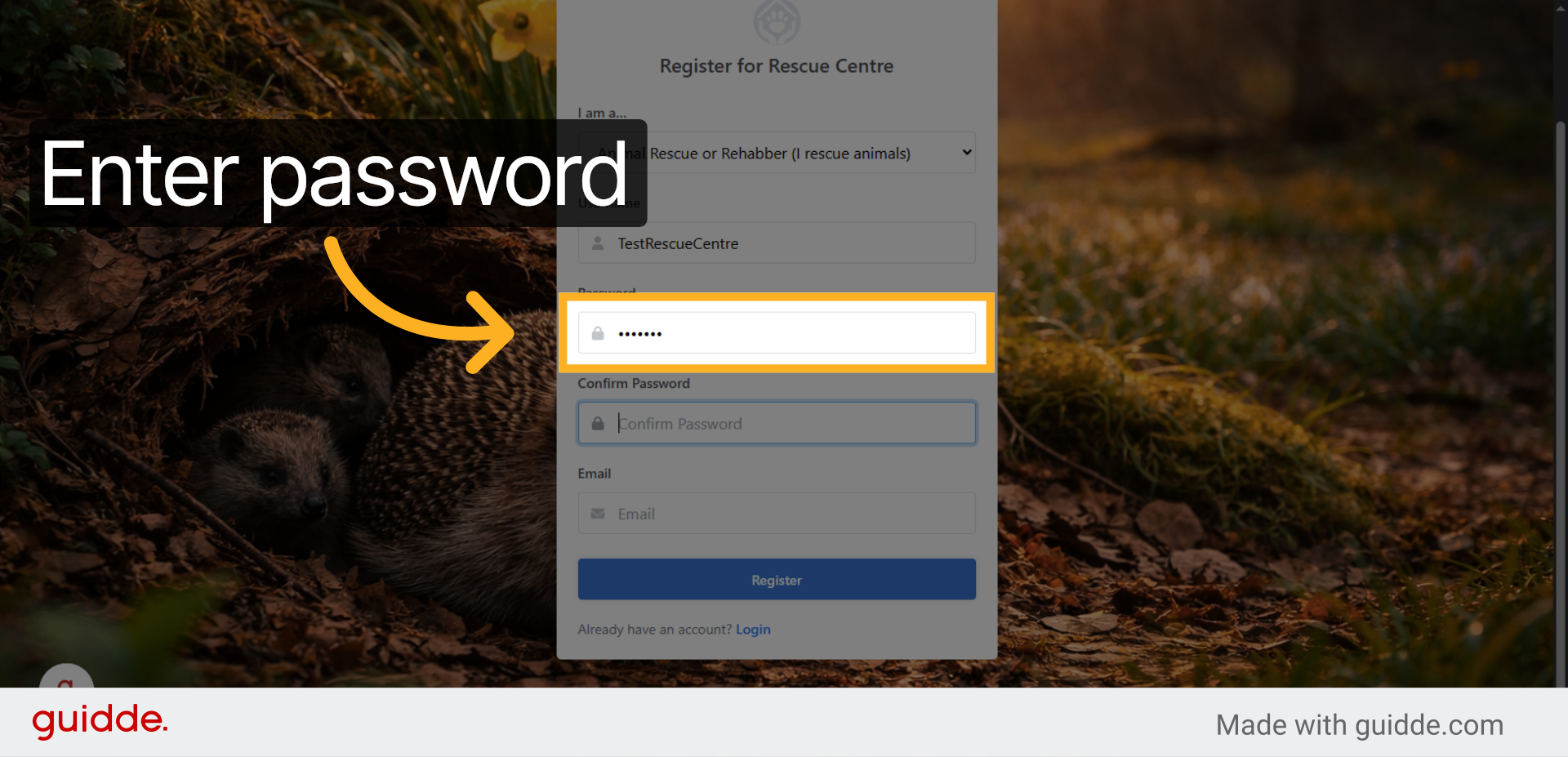
8. Enter Password
Enter a password, make it something memorable so that you don’t forget.
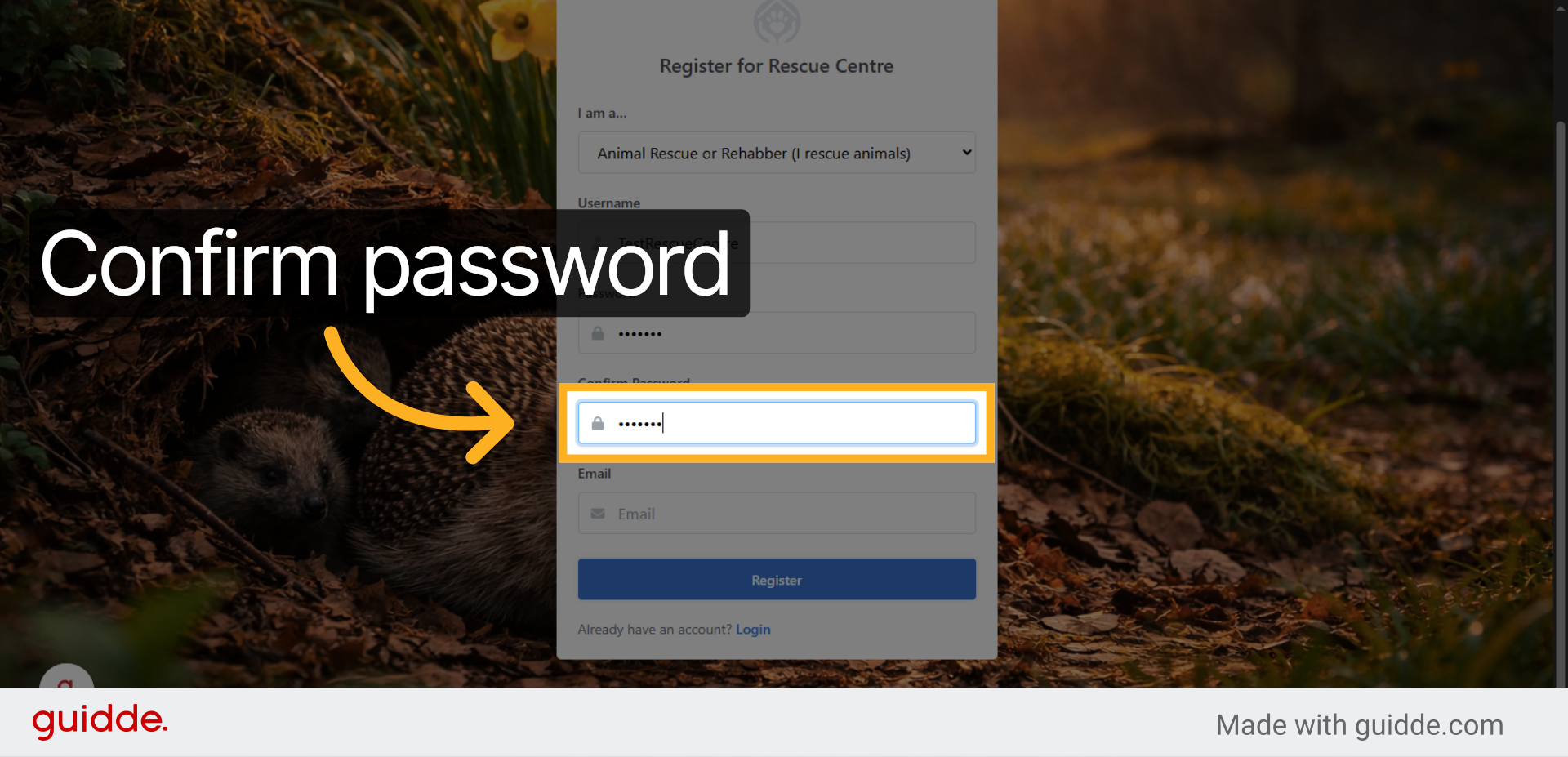
9. Confirm Password
Fill in the “Confirm Password” field to verify your password entry.
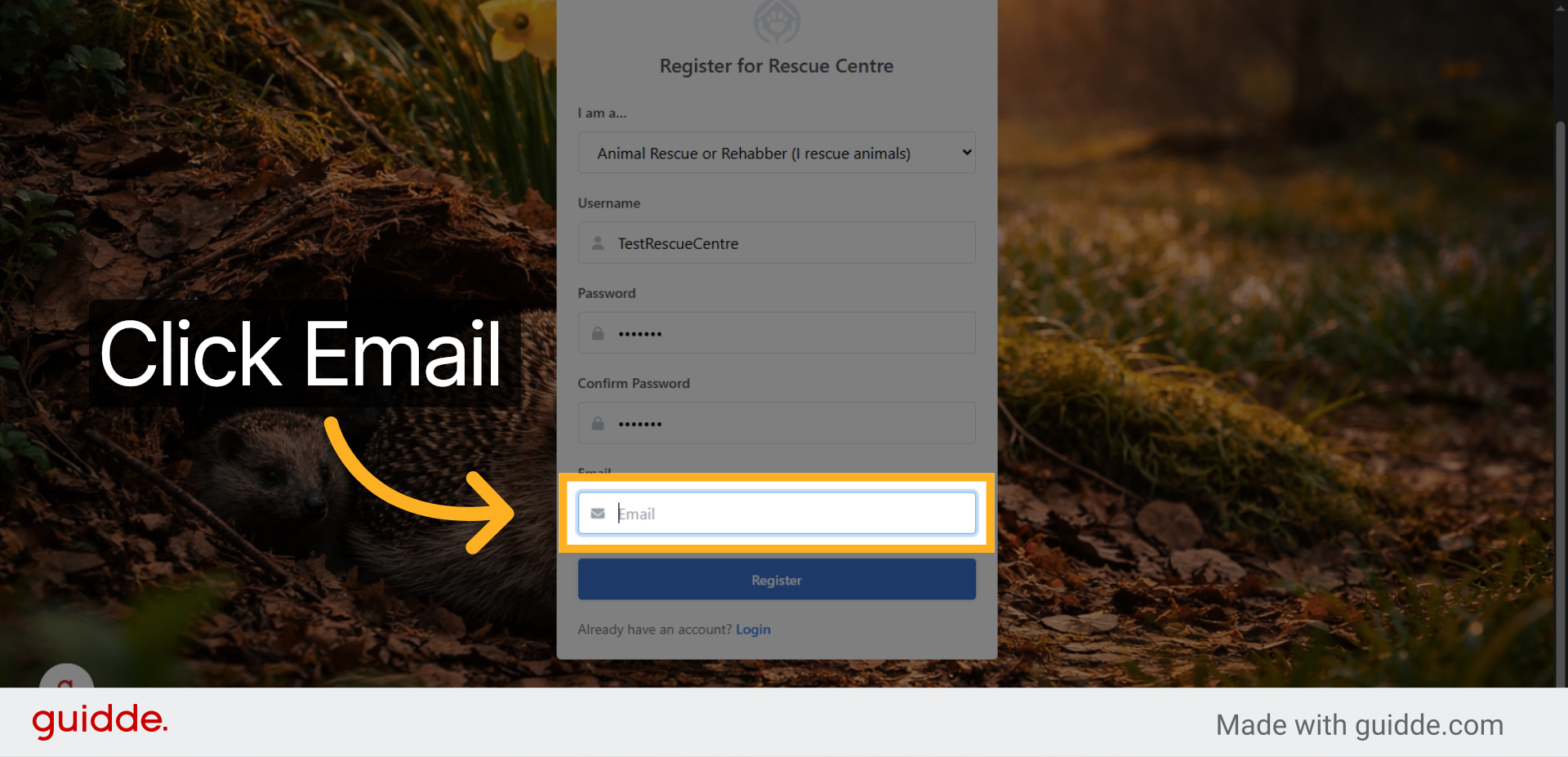
10. Select Email Field
Click the “Email” field to provide your contact email address.
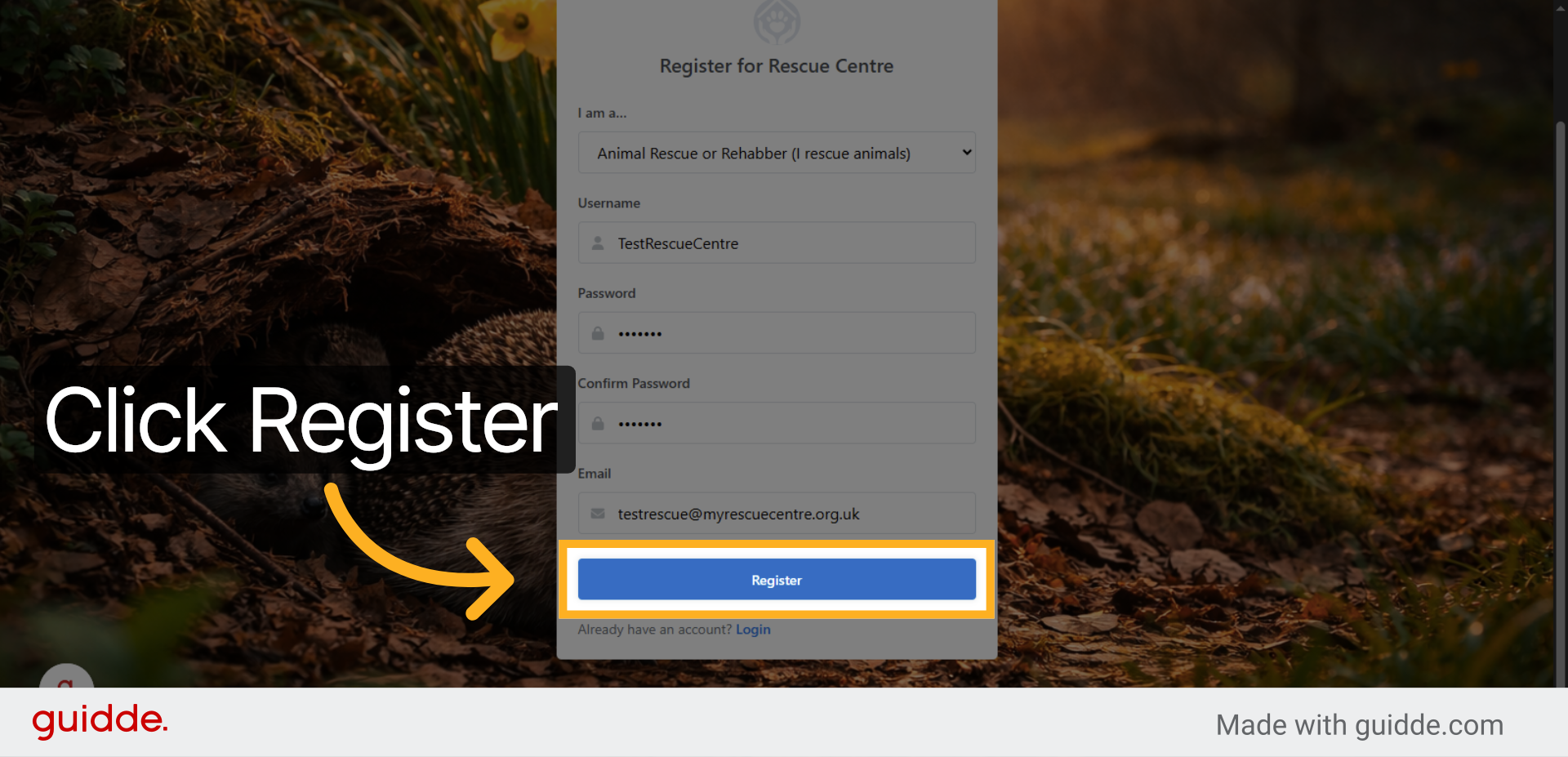
11. Submit Registration
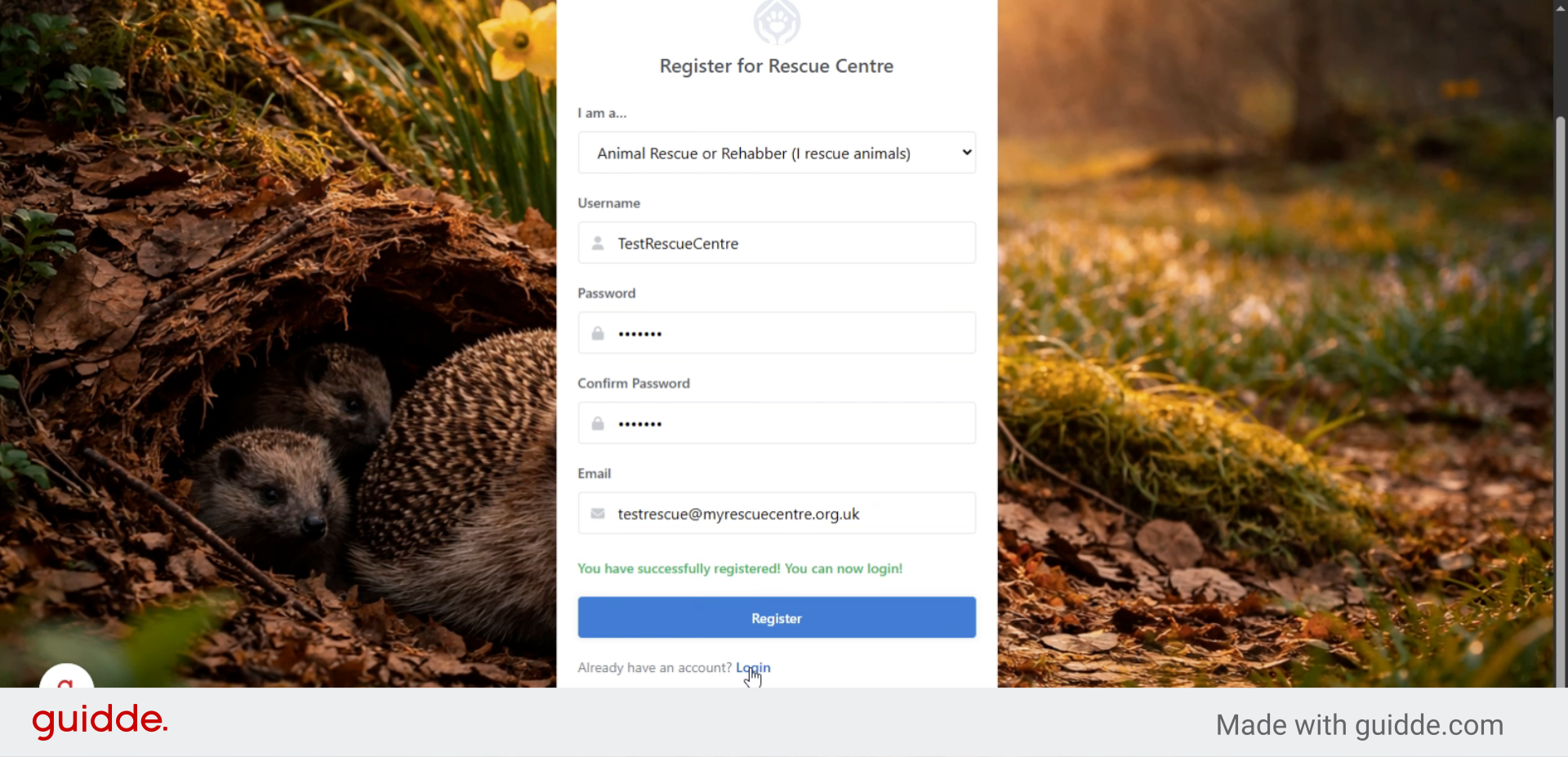
Click “Register” to submit your information and create your Rescue Centre account. A green message will appear to confirm successful registration.
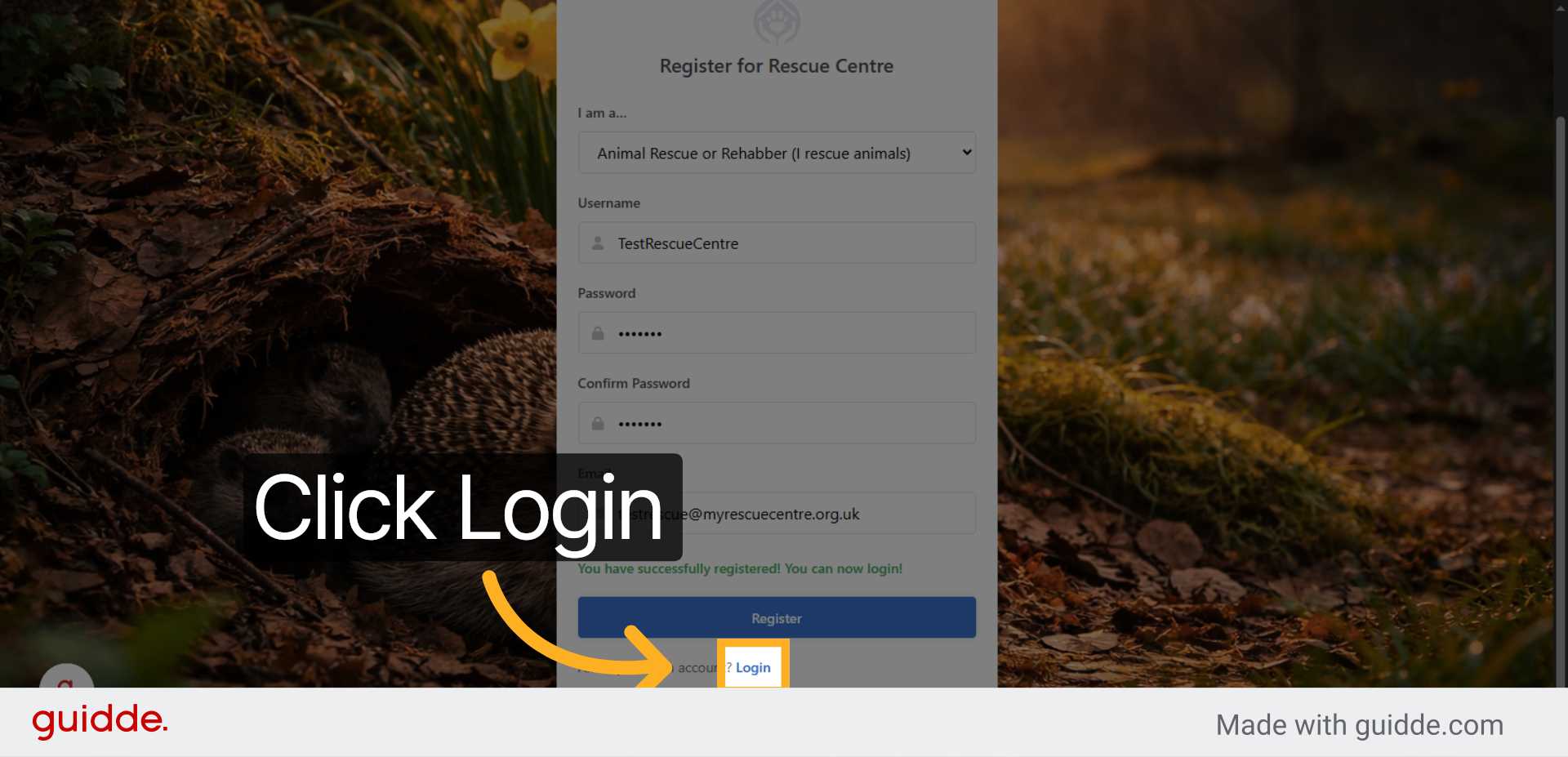
12. Access Login Page
Click “Login” to proceed to the member login page after registration.
13. Enter Login Username
Type in the user name you have just registered and your password to proceed to your new Rescue Centre Dashboard
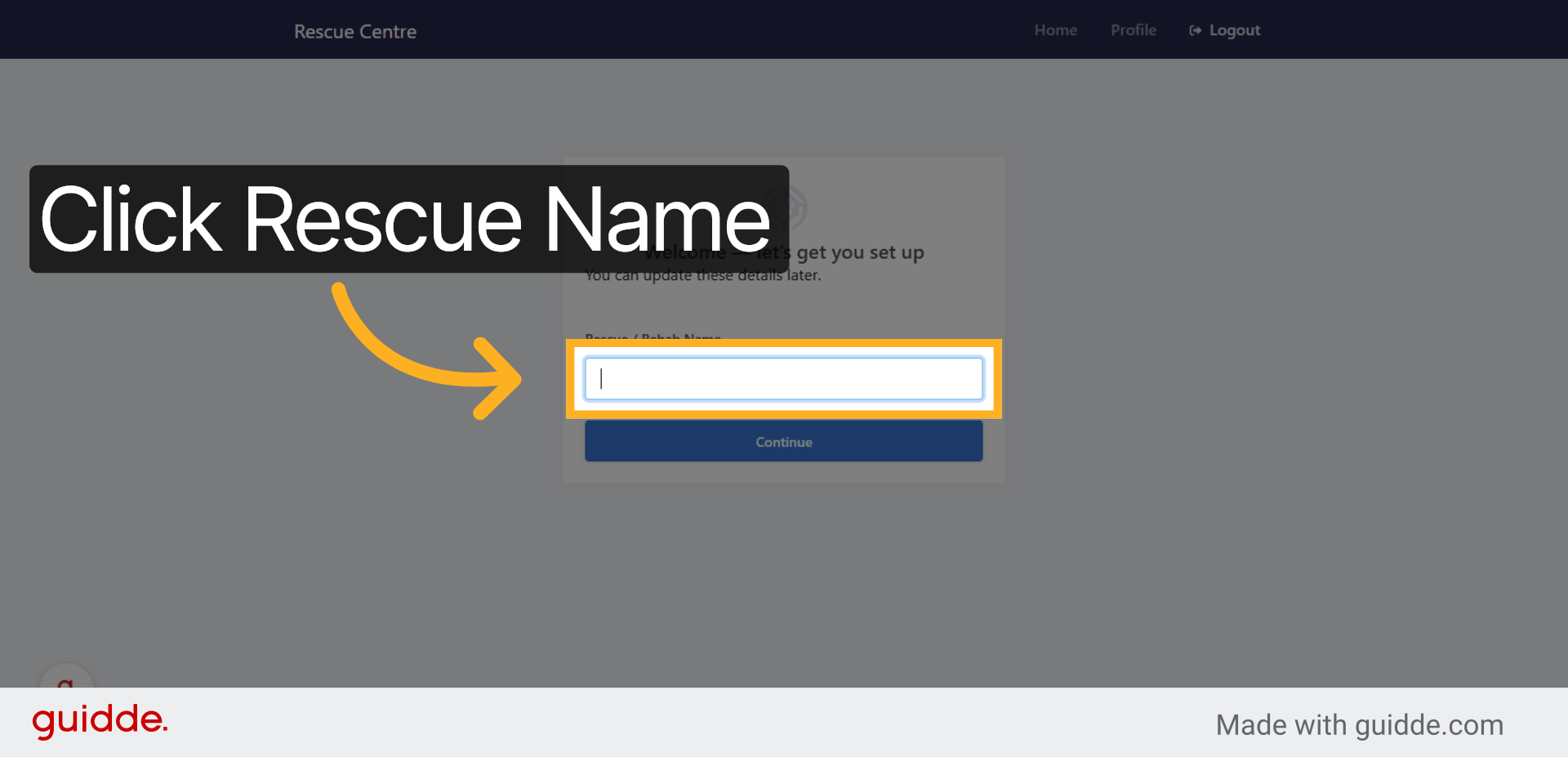
14. Select Rescue Name Field
To register your new rescue, type the name of your rescue in this box to register your rescue. Once saved, your rescue will be set up.
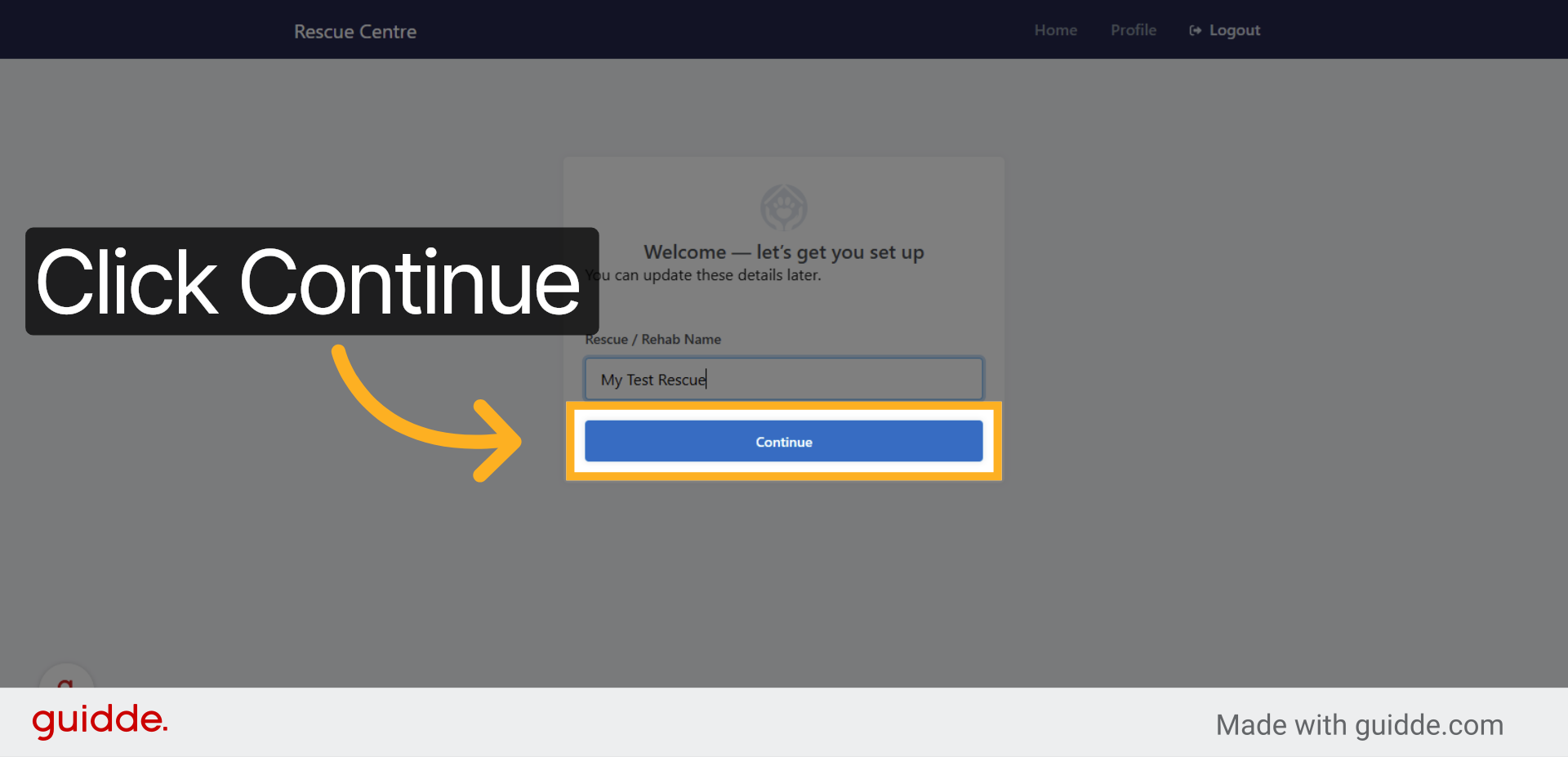
15. Continue Onboarding
Click “Continue” to proceed with the onboarding process for your Rescue Centre account.
16. Open Dashboard
Click “Dashboard” to access your Rescue Centre home page and manage rescue activities.
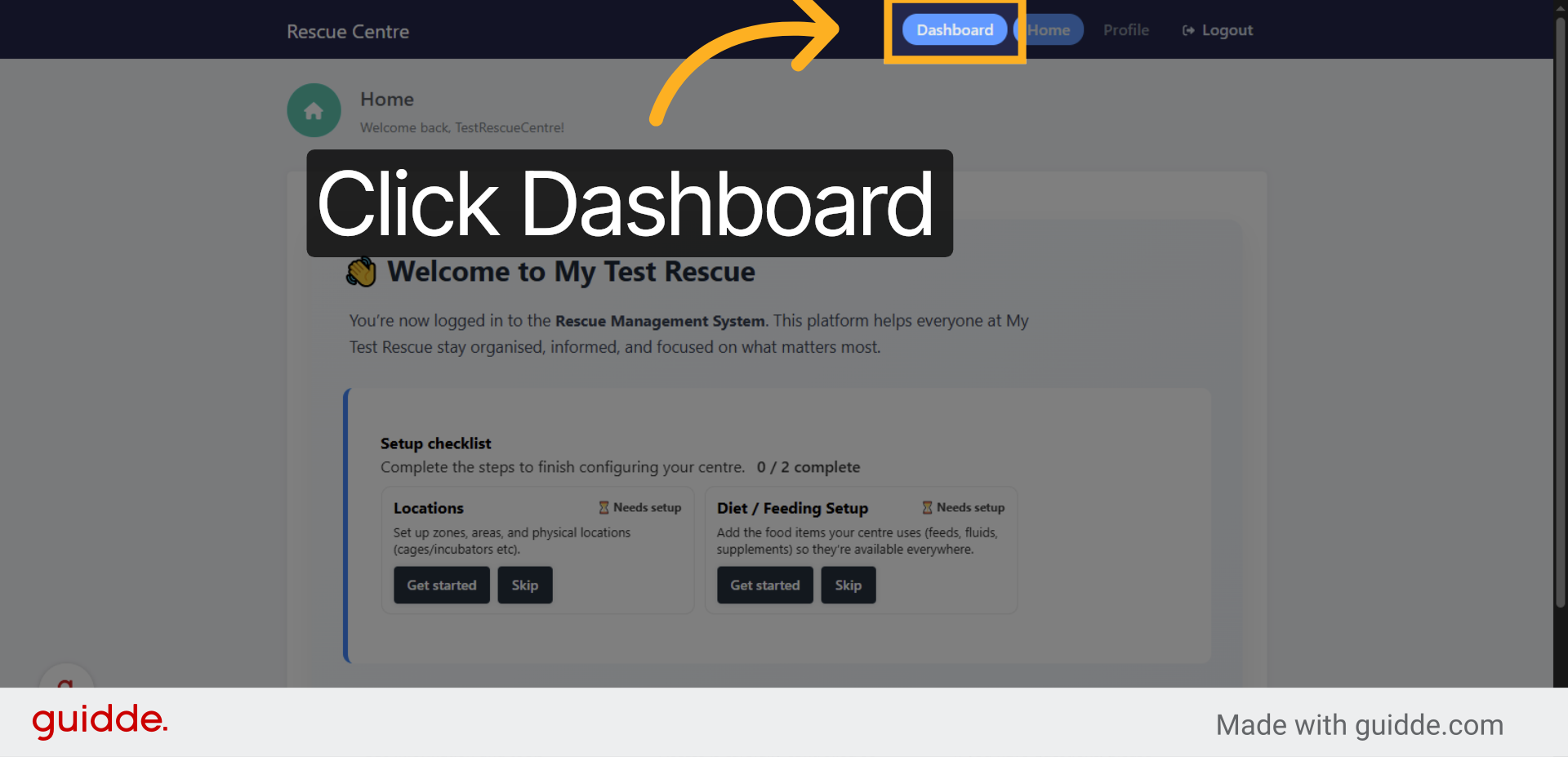
You have successfully registered and set up your Rescue Centre account. You can now access the dashboard to manage your rescue or rehabilitation activities and continue onboarding as needed.

Leave a Reply